Free
Support
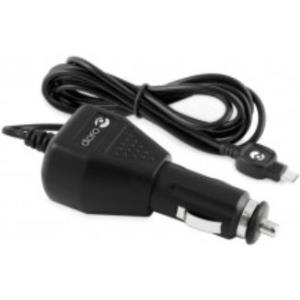
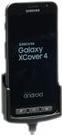
Brodit Ladestation (MOLEX), TS, TC2X Ladestation (MOLEX), Kugelgelenk (Tilt Swivel), 10/24 V, MOLEX, inkl.: Netzteil (offenes Kabelende), passend für: TC2X (mit erweitertem Akku) (713029)
Kurzinfo: Brodit ProClip Angled mount - Halterung - Schwarz Gruppe Zubehör Hersteller Brodit Hersteller Art. Nr. 852017 Modell ProClip Angled mount EAN/UPC 7320288520179 Produktbeschreibung: Brodit ProClip Angled mount - Halterung Produkttyp Halterung Vorgesehen für Handy Geeignet für Installation Fahrrad Produktmaterial ABS-Kunststoff Ausführliche Details Allgemein Produkttyp Halterung Vorgesehen für Handy Geeignet für Installation Fahrrad Produktmaterial ABS-Kunststoff Farbe Schwarz Verschiedenes Kompatible Fahrzeuge Mercedes 124 / 1986 - 1994
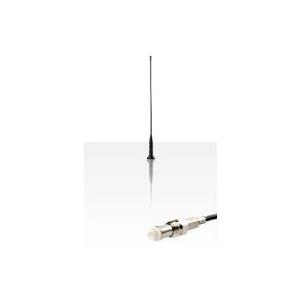
Kurzinfo: DENVER DAB-11 - Auto - DAB-Radio-Tuner - extern Gruppe Audio für das Auto Hersteller DENVER Hersteller Art. Nr. DAB-11 Modell DAB-11 EAN/UPC 5706751033063 Produktbeschreibung: DENVER DAB-11 - Auto - DAB-Radio-Tuner - extern Produkttyp DAB-Radio-Tuner Integrierte Komponenten DAB-Radio Abmessungen (Breite x Tiefe x Höhe) 5 cm x 9 cm x 13.5 cm Gewicht 278 g Formfaktor Extern Klang-Ausgabemodus Stereo Radio DAB/DAB+ Display LCD-Display Ausführliche Details Allgemein Produkttyp DAB-Radio-Tuner Empfohlene Verwendung Auto Formfaktor Extern Integrierte Komponenten DAB-Radio Breite 5 cm Tiefe 9 cm Höhe 13.5 cm Gewicht 278 g Audiosystem Klang-Ausgabemodus Stereo Funktionen Eingebauter FM-Transmitter, USB-Ladeport Radio Typ DAB/DAB+ Display Typ LCD-Display Verschiedenes Zubehör im Lieferumfang DAB-Antenne
IWH Pannenweste/Warnweste, DIN EN 471, Polyester, gelb 100 % Polyester, flueoreszierend, neon-gelb, mit Klett - 1 Stück (540313)
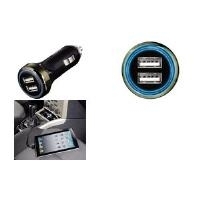
XLAYER COLOURLINE USB ADAPTER CARCHARGER 2.4A GREEN IN (214104)
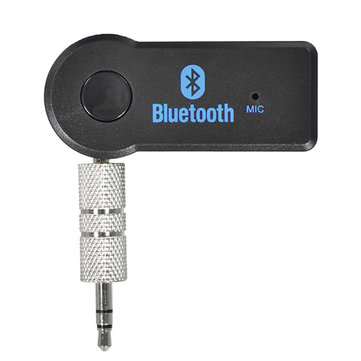
Operation Specifications:1. Press and hold the power button for 1S to turn on the machine. At this time, the white indicator of the device 1status and the white status indicator of the device 2 are on, and the middle power indicator is lit yellow.2. At this time, put the bluetooth device (bluetooth speaker or earphone) into the bluetooth pairing state, and thenpress the right button of MR275 right. At this time, the blue indicator of the device 2 status flashes quickly and entersthe search pairing state. After the pairing is successful, the device 2 is blue. The status indicator will be steady on.3. If you need to connect a buetooth device (bluetooth speaker or earphone), enter another bluetooth device (bluetoothspeaker or earphone) into the bluetooth pairing state, and then press the MR275 left pairing button. At this time, the device1 status blue indicator light is fast. Flash, enter the active search pairing state, after the pairing is successful, the blue statusindicator of the device 1 will be always on.4. Press and hold the right pairing button for 5 seconds to enter the bluetooth clearing list (that is, all previously connectedbluetooth device lists will be deleted).5. Automatic connection status:When the bluetooth device and the MR275 are successfully paired, when the bluetooth device is turned on again, it willautomatically connect back to the MR275;When the bluetooth device is turned on and waiting for the connection state, the MR275 is turned on at this time, and t