Free
Support
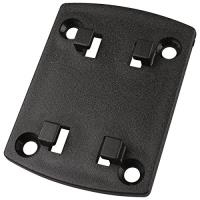
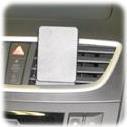
Kurzinfo: Brodit ProClip - Halterung - Schwarz Gruppe Zubehör Hersteller Brodit Hersteller Art. Nr. 855076 Modell ProClip EAN/UPC 7320288550763 Produktbeschreibung: Brodit ProClip - Halterung Produkttyp Halterung Geeignet für Installation Auto Produktmaterial ABS-Kunststoff Ausführliche Details Allgemein Produkttyp Halterung Geeignet für Installation Auto Produktmaterial ABS-Kunststoff Farbe Schwarz Verschiedenes Kompatible Fahrzeuge Skoda Fabia / 2015 (für Europa) Besonderheiten Mittelmontage Platzierung/Befestigung Armaturenbrett
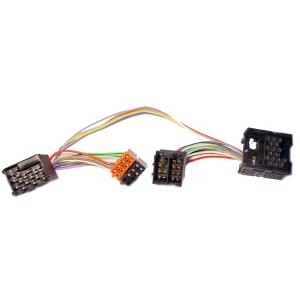
Feature:Be capable to connect 3.5mm audio source (like laptop, iPhone, iPod )For a Car laptop or DVD playerThe adapter fits 12-pin changer jackSpecification:Length: 1.4m / 55.12inConnector: 2.6x1.75x1.35cm / 1.02x0.69x0.53inConnector Type: 12 pin JackTransition Type: 3.5mm JackColor: Black with White adapterFitment:BMW 5 Serie (E39 mit SA 650-661)BMW X5 Serie (E53 mit SA 650-661)BMW 5 Serie (E60, E61)BMW 6 Serie (E63, E64)BMW X3 Serie (E83 mit SA 662)BMW Z4 Serie (E85 mit SA 662)Note:Please confirm that this adapter fits your car changer jackPackage Included:1 x Car Aux Audio Adapter
Kurzinfo: Garmin dezl 780LMT-D - GPS-Navigationsgerät - Kfz 17,80cm (7"") Breitbild Gruppe GPS-Receiver Hersteller Garmin Hersteller Art. Nr. 010-01855-10 Modell dezl 780LMT-D EAN/UPC 0753759207762 Produktbeschreibung: Garmin dezl 780LMT-D - GPS-Navigationsgerät Produkttyp GPS-Navigationsgerät Display 17,80cm (7"") Farbe - 1024 x 600 Pixel - Breitbild Eingang Touch-Screen Empfohlene Verwendung Kfz Schnittstelle USB, Bluetooth, Wi-Fi Integrierter Arbeitsspeicher 16 GB Sprachunterstützung Navigationsanweisungen, Ansage des Straßennamens, Sprachbefehlerkennung Mitgelieferte Software Foursquare, TripAdvisor Zubehör im Lieferumfang Magnetische Befestigung, USB-Kabel, Saugfußmontage Abmessungen (Breite x Tiefe x Höhe) 19.9 cm x 2.4 cm x 12.2 cm Gewicht 437 g Ausführliche Details Allgemein Produkttyp GPS-Navigationsgerät Empfohlene Verwendung Kfz Schnittstelle USB, Bluetooth, Wi-Fi Sprachunterstützung Navigationsanweisungen, Ansage des Straßennamens, Sprachbefehlerkennung Mitgelieferte Software
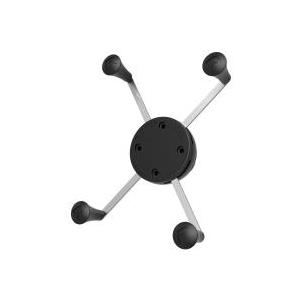
Kurzinfo: Brodit ProClip Center mount - Befestigungsklammer(n) Gruppe Zubehör Hersteller Brodit Hersteller Art. Nr. 213469 Modell ProClip Center mount EAN/UPC 7320282134693 Produktbeschreibung: Brodit ProClip Center mount - Befestigungsklammer(n) Produkttyp Befestigungsklammer(n) Ausführliche Details Allgemein Produkttyp Befestigungsklammer(n) Verschiedenes Kompatible Fahrzeuge Opel Movano / 2011 oder später (für Europa) Renault Master / 2011 oder später (für Europa) Besonderheiten Mittelmontage Platzierung/Befestigung Armaturenbrett
Hauptmerkmale GPS-Typ Truck Ja Navigation Auswahl zur Routeeinstellung Ja Höhe Maß Ja Karte Karten enthalten Ja Kartenabdeckung Nordamerika Lebenszeit-Karten updates Ja Bildschirm Bildschirmdiagonale 17,8 cm (7 ) Touchscreen Ja Breitbild Ja Bildschirmauflösung 1024 x 600 Pixel Unterstützung von Positionierung Horizontal Netzwerk Bluetooth Ja WLAN Ja Leistungen Integrierte Kamera Ja Anschlüsse und Schnittstellen USB Konnektivität Ja Anzahl USB 2.0 Anschlüsse 1 Anzahl Mini-USB 2.0 Anschlüsse 1 Leistung Energiequelle USB Lieferumfang Betriebsanleitung Ja
Operation Specifications:1. Press and hold the power button for 1S to turn on the machine. At this time, the white indicator of the device 1status and the white status indicator of the device 2 are on, and the middle power indicator is lit yellow.2. At this time, put the bluetooth device (bluetooth speaker or earphone) into the bluetooth pairing state, and thenpress the right button of MR275 right. At this time, the blue indicator of the device 2 status flashes quickly and entersthe search pairing state. After the pairing is successful, the device 2 is blue. The status indicator will be steady on.3. If you need to connect a buetooth device (bluetooth speaker or earphone), enter another bluetooth device (bluetoothspeaker or earphone) into the bluetooth pairing state, and then press the MR275 left pairing button. At this time, the device1 status blue indicator light is fast. Flash, enter the active search pairing state, after the pairing is successful, the blue statusindicator of the device 1 will be always on.4. Press and hold the right pairing button for 5 seconds to enter the bluetooth clearing list (that is, all previously connectedbluetooth device lists will be deleted).5. Automatic connection status:When the bluetooth device and the MR275 are successfully paired, when the bluetooth device is turned on again, it willautomatically connect back to the MR275;When the bluetooth device is turned on and waiting for the connection state, the MR275 is turned on at this time, and t