Libre
Soutien
Kurzinfo: TomTom - Tasche für GPS - für GO 60, 600, 6000, 61, 610, 6100, 620, 6200, Start 60, 62, TRUCKER 6000, VIA 62 Gruppe Tragetaschen Hersteller TomTom Hersteller Art. Nr. 9UUA.001.64 Modell EAN/UPC 0636926082006 Produktbeschreibung: TomTom - Tasche für GPS Produkttyp Tasche für GPS Entwickelt für GO 60, 600, 6000, 61, 610, 6100, 620, 6200, Start 60, 62, TRUCKER 6000, VIA 62 Ausführliche Details Tragetasche Typ Tasche Empfohlene Verwendung Für GPS Informationen zur Kompatibilität Entwickelt für TomTom GO 60, 600, 6000, 61, 610, 6100, 620, 6200 TomTom Start 60, 62 TomTom TRUCKER 6000 TomTom VIA 62
Samsung EP-LN930CBEWW KFZ Handy Ladegerät mit Schnellladefunktion, Bulk/OEM USB-C Schwarz (EP-LN930CBEWW)
Brodit Halterung, TS, TC7X Halterung, Kugelgelenk (Tilt Swivel), passend für: TC7X (522707)
Kurzinfo: Just Mobile Xtand Vent - Halterung für Kfz - für Apple iPhone 3G, 3GS, 4, 4S, 5, 5c, 5s, 6, 6 Plus, 6s, 6s Plus, SE, iPod touch Gruppe Zubehör Hersteller Just Mobile Hersteller Art. Nr. ST-128 Modell Just Mobile Xtand Vent EAN/UPC 4712176188463 Produktbeschreibung: Just Mobile Xtand Vent - Halterung für Kfz Produkttyp Halterung für Kfz Vorgesehen für Handy Abmessungen (Breite x Tiefe x Höhe) 6 cm x 6.6 cm x 1.8 cm Gewicht 22 g Entwickelt für Apple iPhone 3G, 3GS, 4, 4S, 5, 5c, 5s, 6, 6 Plus, 6s, 6s Plus, SE, iPod touch (1G, 2G, 3G, 4G, 5G, 6G) Ausführliche Details Allgemein Produkttyp Halterung für Kfz Vorgesehen für Handy Breite 6 cm Tiefe 6.6 cm Höhe 1.8 cm Gewicht 22 g Verschiedenes Platzierung/Befestigung Lüftungsgitter im Auto Informationen zur Kompatibilität Entwickelt für Apple iPhone 3G, 3GS, 4, 4S, 5, 5c, 5s, 6, 6 Plus, 6s, 6s Plus, SE Apple iPod touch (1G, 2G, 3G, 4G, 5G, 6G)

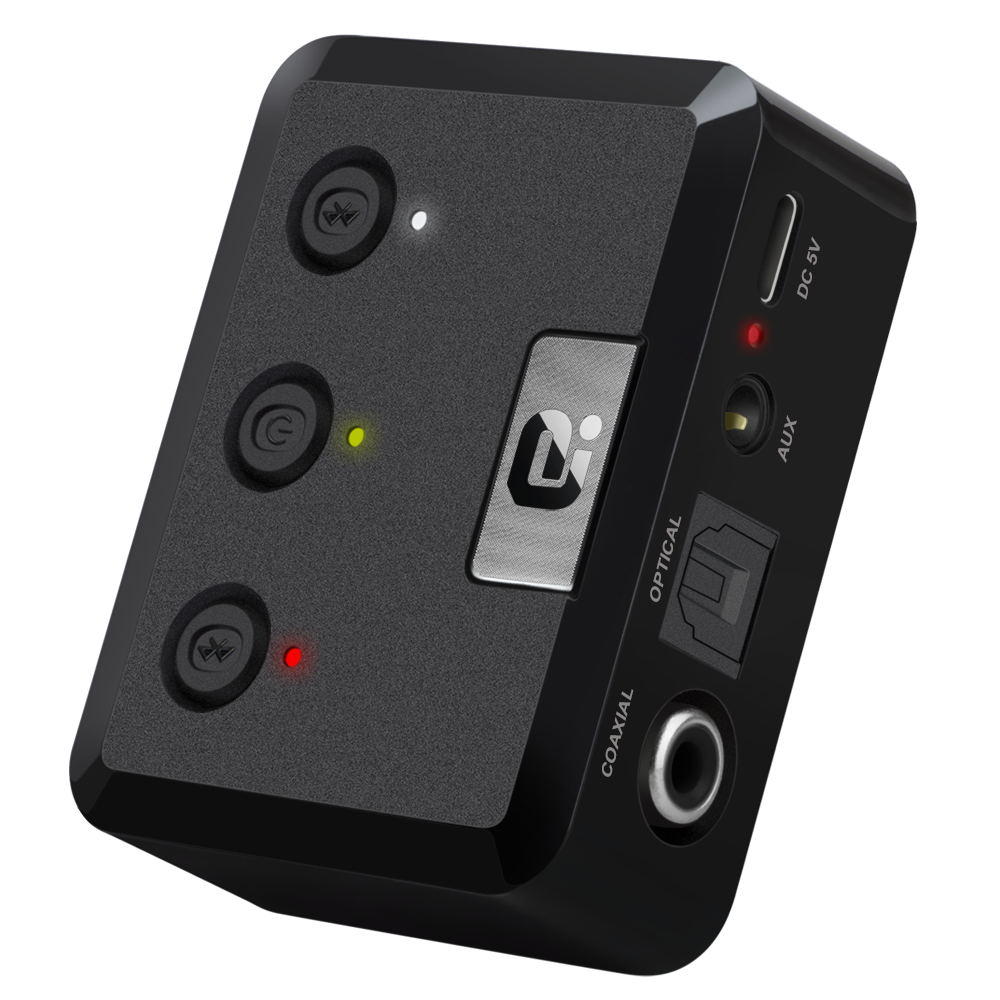
Operation Specifications:1. Press and hold the power button for 1S to turn on the machine. At this time, the white indicator of the device 1status and the white status indicator of the device 2 are on, and the middle power indicator is lit yellow.2. At this time, put the bluetooth device (bluetooth speaker or earphone) into the bluetooth pairing state, and thenpress the right button of MR275 right. At this time, the blue indicator of the device 2 status flashes quickly and entersthe search pairing state. After the pairing is successful, the device 2 is blue. The status indicator will be steady on.3. If you need to connect a buetooth device (bluetooth speaker or earphone), enter another bluetooth device (bluetoothspeaker or earphone) into the bluetooth pairing state, and then press the MR275 left pairing button. At this time, the device1 status blue indicator light is fast. Flash, enter the active search pairing state, after the pairing is successful, the blue statusindicator of the device 1 will be always on.4. Press and hold the right pairing button for 5 seconds to enter the bluetooth clearing list (that is, all previously connectedbluetooth device lists will be deleted).5. Automatic connection status:When the bluetooth device and the MR275 are successfully paired, when the bluetooth device is turned on again, it willautomatically connect back to the MR275;When the bluetooth device is turned on and waiting for the connection state, the MR275 is turned on at this time, and t