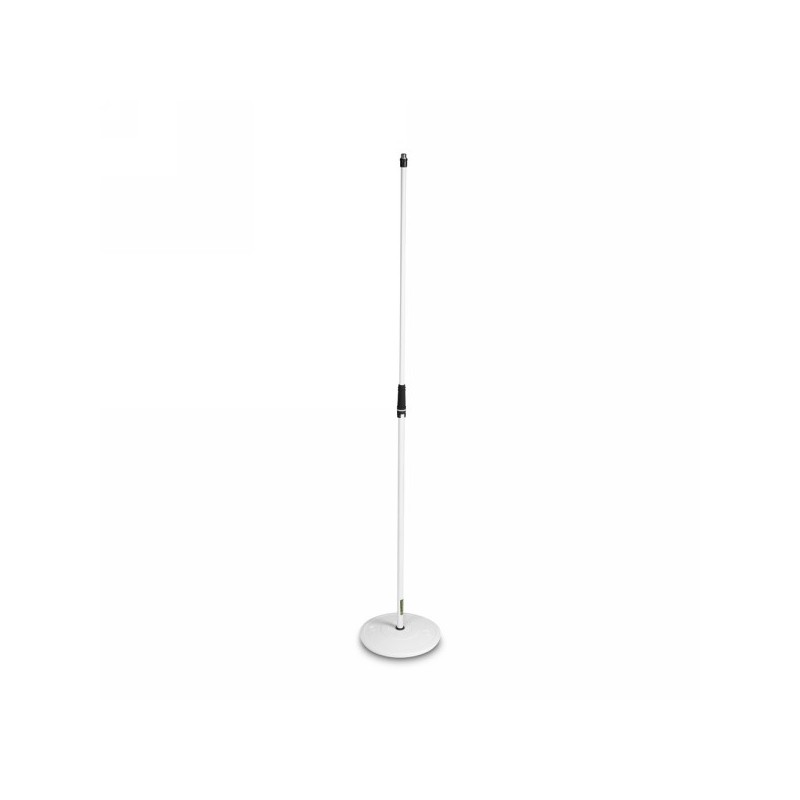
Der MS 23 ist ein Premium-Mikrofonständer mit besonders kräftiger Rohrstärke, weißer Pulverbeschichtung und 168 cm maximaler Höhe. Der hochstabile Tellerfuß aus Gusseisen hat einen Gummiboden zur akustischen Isolierung und zum Schutz der Stellfläche. Der Griff der leichtgängigen, haltbaren Höhenverstellung des MS 23 ist aus hochbeständigem ABS mit einem rutschfesten Soft-Touch-Überzug aus Thermoplastik zur komfortablen Bedienung. Dazu ermöglicht die speziell designte Gegenmutter eine rasche und feste Montage des Mikrofonhalters ohne Werkzeuge. VARIWEIGHT® Kompatibel - patentiertes Stabilitätssystem für sicheren Halt und einfachen Transport durch einsetzbare Gewichtsscheibe. Der MS 23 wird mit einem zusätzlichen Satz schwarzer Kodierringe geliefert, weitere Ringe sind zur deutlichen Personalisierung in vielen Farben lieferbar. Technische Daten Produktart Ständer und Stative Typ Mikrofonständer Material Rohre Stahl Farbe Rohre weiß Oberfläche Rohre pulverbeschichtet Höhe min. 1000 mm Höhe max. 1600 mm Transportlänge 1000 mm Höhenverstellung Ja Sockelart Teller Material Sockel Gusseisen Sockeldurchmesser 270 mm Gewicht Sockel 3,6 Austauschbare Ringe 1 x 20 mm Schwarzer Ringsatz inkludiert Ja Gewicht 4,2 kg
Features:
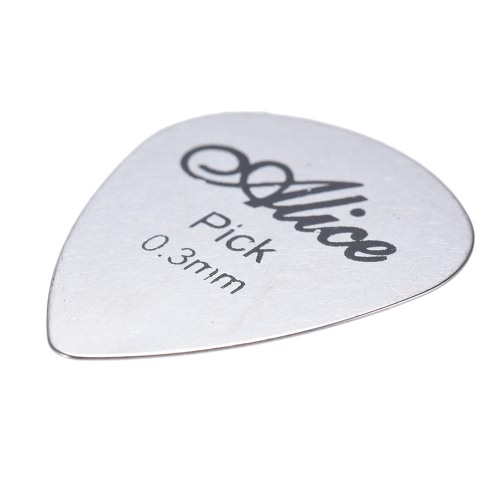
Made of high quality durable stainless steel, can be used for a long time.
Thickness 0.3mm, create clear and melodious timbre.
Suitable for acoustic, bass and electric guitar plays.
Als Grundlage dienen die legendären Slinky Nickel Saiten, bestehend aus einem zinnüberzogenem Stahlkern, umwickelt mit Nickel-Stahl. Sowohl die Plain-Strings als auch die Wound-Strings sind mit einer ultra-dünnen Schicht überzogen, zusätzlich sind die Plain-Strings am Ball-End mit Titanium umwickelt. Dies macht die Saite besonders reissfest und langlebig. Zusätzlich werden die Saiten luftdicht verpackt, somit bleiben sie frisch wie am Tag der Herstellung. Stärke: .012 / .016 / .024p / .032 / .044 / .056
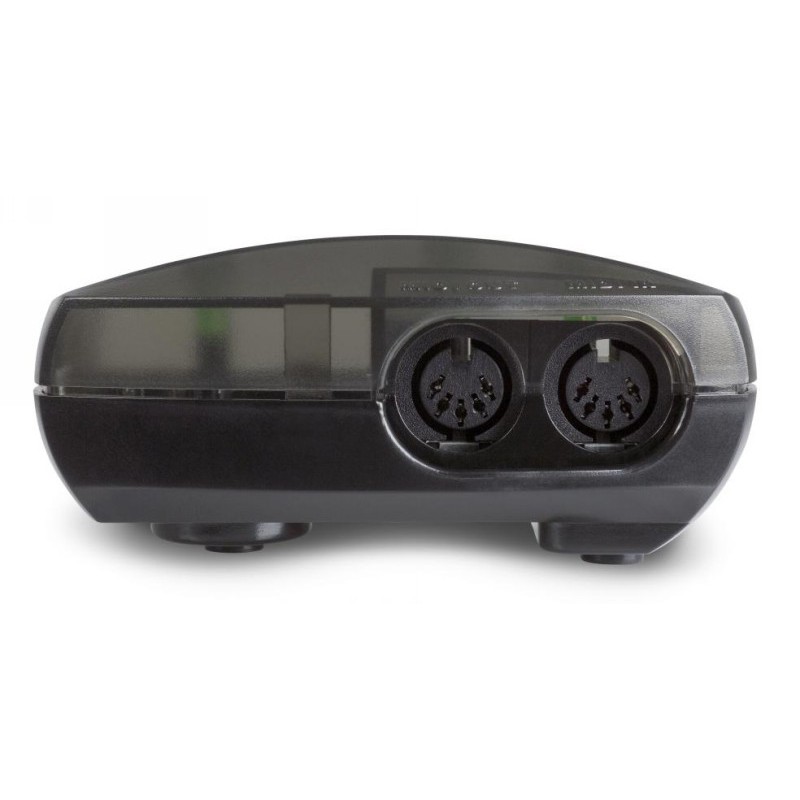
MIDISport 1x1 ist eines der kleinsten und leichtesten USB/MIDI-Interfaces (nur 68 g) mit einem MIDI Ein- und Ausgang. Es eignet sich hervorragend für den portablen Betrieb an Laptops, da es auf jedem Mac oder Windows-Computer ohne zusätzliche Treiber erkannt und vollständig über den USB-Anschluss mit Strom versorgt wird. Technische Daten Anschluss an USB-Schnittstelle (Universal Serial Bus) 1 MIDI-Ausgang, 16 Kanäle 1 MIDI-Eingang, 16 Kanäle LED-Anzeige für Eingang, Ausgang und Power \"Self Powered\", funktioniert ohne zusätzliches Netzteil Hervorragend für den portablen Betrieb an Laptops oder Notebooks Lieferung erfolgt mit 1,8m USB-Anschlusskabel und Treiber CD-ROM für PC und Macintosh Maße (BxTxH): 10,1 cm x 4,4 cm x 5,7 cm Gewicht: 68 g Kompatibilität MME Mac OS X Core MIDI Mindestsystemanforderungen (PC) Windows XP (SP2)* / Vista SP2 (32 Bit, 64 Bit) / Win7 (32 Bit, 64 Bit) *Nur Home und Professional Edition. Windows Media Center Edition wird derzeit nicht unterstützt. Mindestsystemanforderungen (Mac) OS X ab 10.1.5 *Eingebaute USB Schnittstelle erforderlich; Nicht mit G3/G4 Beschleunigung Karten kompatibel.